Nebulis Entity Update

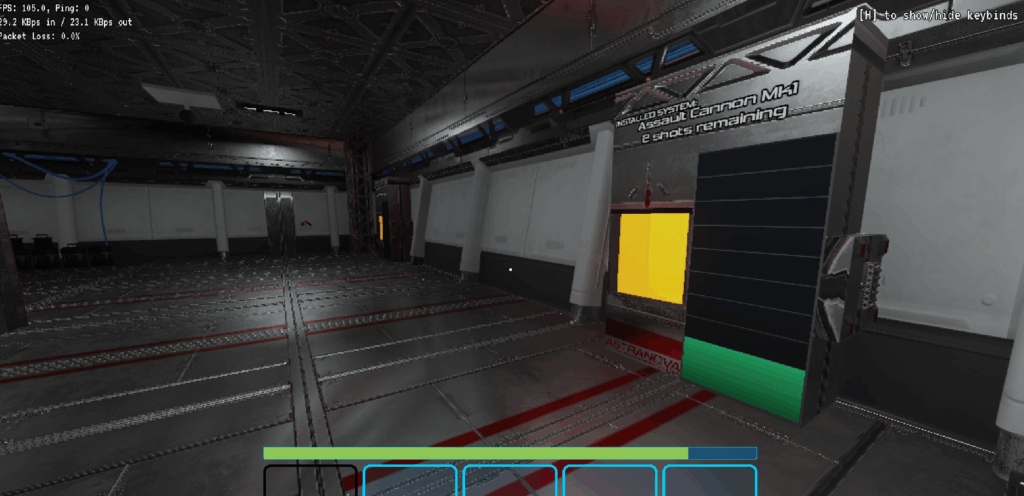
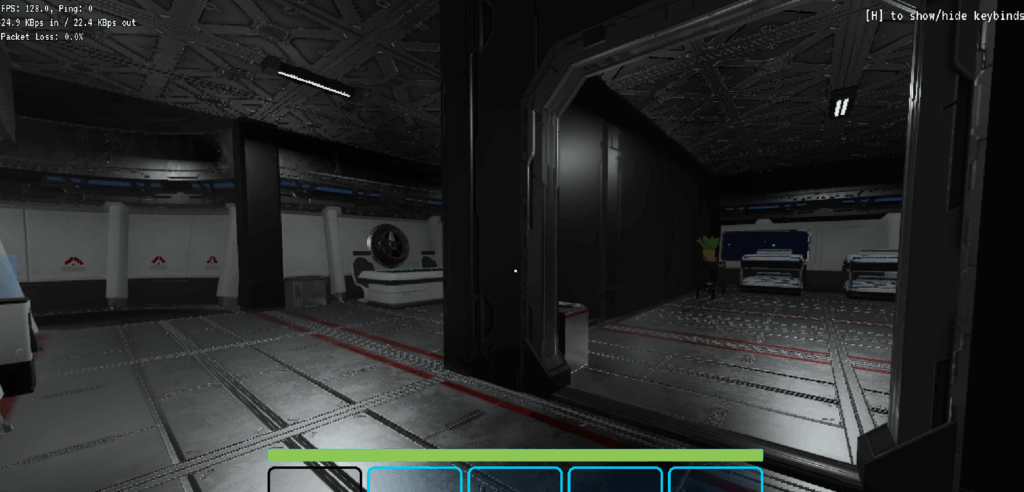
It’s been a productive few months since my last post, I’m mostly working on polish and adding more story content now. Below I’ll be including a small video of me walking around the space station (essentially the lobby area) to show off the new assets. I’m hoping soon to put more footage of actual gameplay on the ship itself.

Anyway, here’s a small of things I’ve done since my last post:

  • Improve the space ship’s command computer user interface to be more clear, and less complicated. Before it had a map that showed both locations + objects in space such as ships, etc. I’ve split off locations to a different monitor completely to reduce UI complexity.
  • The command computer’s popup system was reworked, it was kind of clunky in terms of how popup’s defined their buttons. It’s a lot nicer to work with now and should let me create lots of interesting ways to interact with players.
  • A small intro story to teach players about the game without too much hand-holding. It forces players to interact with some of the basic mechanics you’ll have to do on the ship.
  • Upgraded the game engine to Godot v4.6.1.
  • Other small fixes including: some UI tweaks, some animation fixes (player’s idle animations weren’t looping properly), small fixes with the occlusion layer.

And a small video walking around the lobby area

Until next time

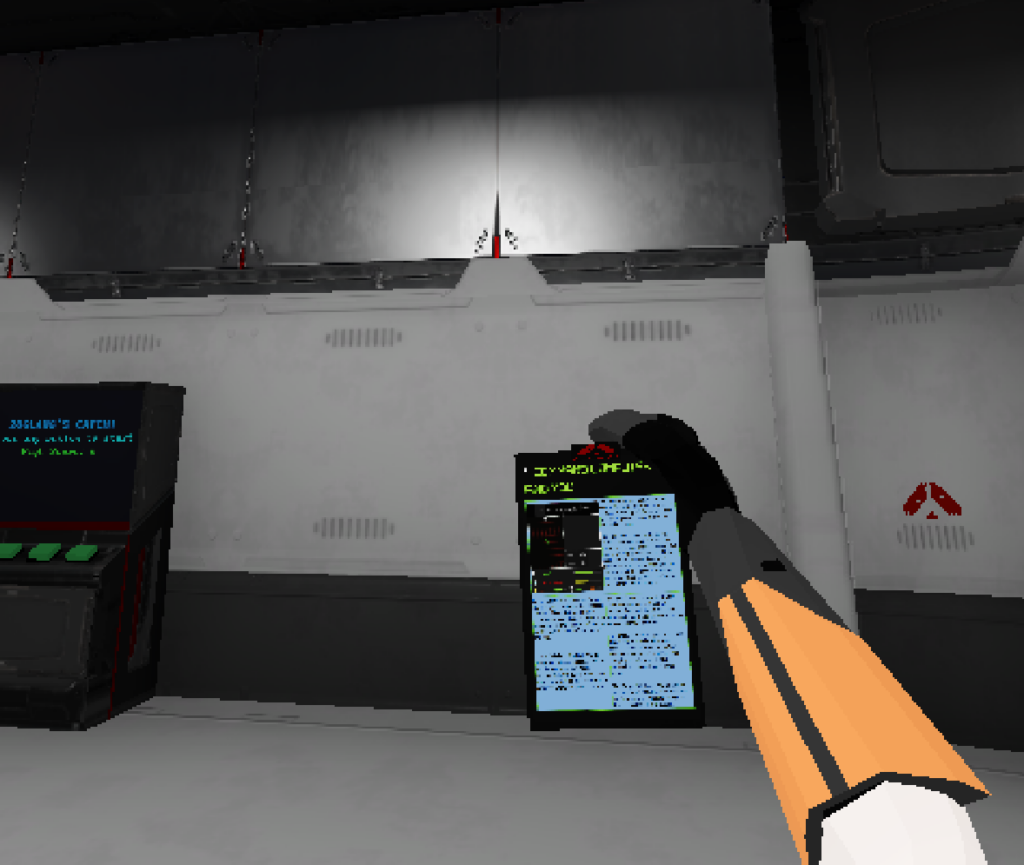
Information Tablet!

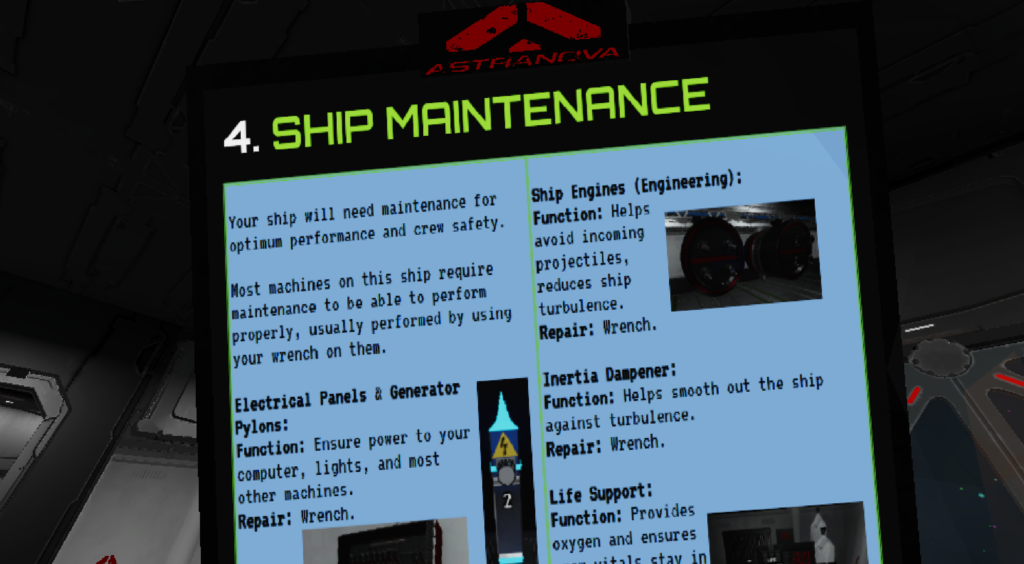
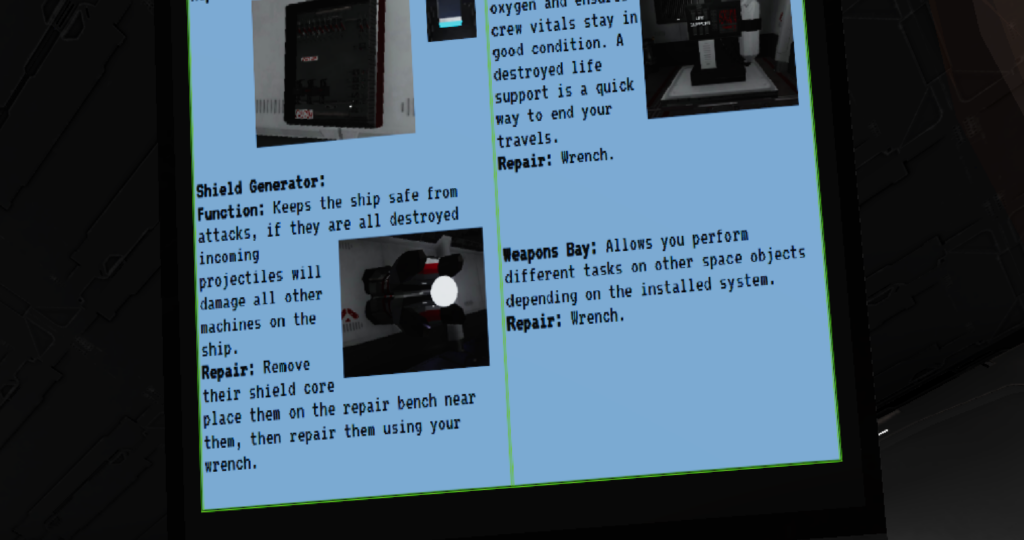
I recently added a tablet that contains information for maintaining / repairing the ship. Initially I had created a separate tab on the in-game computer that contained this information – but I felt the computer UI was getting quite cluttered so I thought it was a good opportunity to pull all that out of the computer and into a handy tablet any crew member can reference. After you grab it you’re able to zoom into the tablet to read the contents easily.

Graphical updates

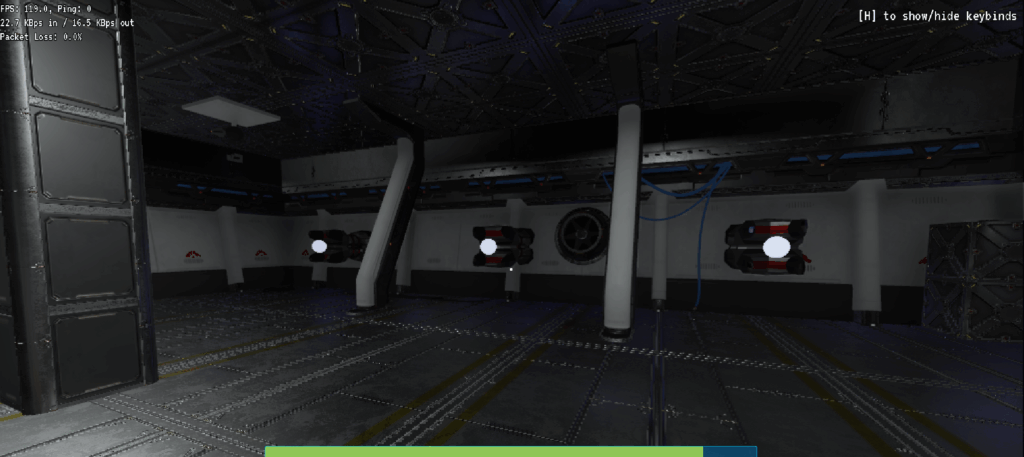
Shortly after my last post I got my hands on some new models for my game. Previously I’ve just been using 100% things I’ve made in blender myself, but this asset pack I found seemed like it’d fit really well and it came with the proper resources to essentially apply their textures to my existing models. So I’ve been using a lot of the new models for re-doing the ship level, and updating existing models I had already created to make them fit in properly. I’m really satisfied with the results & I’ve attached three photos, a sneak peek of around the ship.

More posts to follow!

Nebulis Entity Update – Arcade Games!

Another quick update about my game – I wanted something players could mess around with while aboard the ship. I figured an arcade cabinet would be fun to make and a good way to waste some time. This is a simple game where you catch falling objects by pressing buttons on the cabinet.

I may make a couple more games that work on the same cabinet model in the future, but for now this is good.

Until next time!

BURNING!

I recently did some more work on Nebulis Entity – I made a small fire spreading and suppression system. When the ship is damaged, or electrical parts of the ship aren’t kept in good condition, a fire has a chance of breaking out.

Here’s a small video of me putting out a fire (it’s dark because the generator was also out)

Details about Nebulis Entity

It’s time I start putting out more information about Nebulis Entity – it is a 3D co-op first-person survival space ship crew simulator game. Aboard a spaceship, you perform tasks and maintenance to adventure as far as you possibly can to uncover more about the universe you’re in.

Currently, the basic gameplay loop, as well as a temporary lobby area are done. So essentially you can currently board a space ship, and pilot it through space. If your ship explodes you are sent back to the lobby where you can board another ship and go again. I’m just adding more content and polishing existing systems I’ve created and will be posting images / videos here as I work on different things. To start, here’s a small video of looking out of the ship into space from the crew’s quarters.

I’m currently working on fire spreading system when your ship is damaged – stay tuned for some details about that soon!

Real-time Shadows

So I recently was having issues with low frames per second in my game that I’m currently working on (more posts to follow regarding it).

My game is networked and I’ve crafted a framework on top of Godot & SteamNetworkingSockets, and I assumed that this foundation that I laid my game upon was inefficient and spent about 4-5 nights improving it and trying to make it more efficient.

I made two big changes to my system:

  1. I use MessagePack for data serialization for all network communication. I do this on the main game thread, and I figured I could improve performance by moving this to two separate threads: one for serializing and one for deserializing. This did not take too much effort to get working, also a by-product of doing this work was I moved allI serialization code into only one place in my code, it was a little bit of mess before and now it all happens right when we send/receive network messages.
  2. Networked objects can have attributes on properties so that field or property can be synced between clients, kind of like a network variable. The way I was managing this was quite messy and I had been meaning to more deeply integrate it into MessagePack and streamline it for a while. This work took a great chunk of my time but I’m happy with how it turned out. I essentially went from a weird system where I sent and stored serialized byte[] information with type information that were deserialized on demand. Now I have it setup so MessagePack can deserialize all that information when the network state is received and it’s stored properly in an object variable, ready to be used whenever.

In the end the frames didn’t change all too much, I may have gained 5-10 fps — but it did make me feel happier to have completed the work.

As the title of this post may have foreshadowed, I pretty much doubled my FPS by turning off shadows on my lights in my game. My game doesn’t have that many light sources with shadows enabled – it seems they’re just quite expensive and it drastically increased the draw calls Godot was making (from 8k~ to 2k~ in some instances).

I still wanted shadows on my SpotLight3D’s though, so I ended up learning about Distance Fade, which essentially disables the SpotLight3Ds shadows if they’re not near the active camera. I also adjusted the shadow settings in the Project settings and reduced the quality of them – my game is going for a low polygon look and I think it actually adds to the aesthetic to reduce the shadow quality.

Distance fade property screenshot:

Lights and Shadows properties in the Project Settings:

In the end I’m back to a nice practically constant 120fps and I still have my shadows – and a nice little rewrite of some aging code to boot.

Thanks for reading & until next time.

Nebulis Entity

I know I haven’t posted recently, but progress has not stopped. Well, kind of. The RPG game that I’ve posted about in the past has been put on hold, and I switched gears over these last 3 months to a game with a simpler idea.

I felt that my previous game idea just kept unwinding into a bigger project every day I kept working on it. A lot of progress has been made on it since I last posted, but I thought it’d be good to do something way smaller in scope and then go back to it later.

My new and current project is a 3D game where you and optionally some friends perform research on entities on a space station above a recently discovered planet. I’m nearing a demo-able state of the game and promise to put more information soon. To give you an idea of the aesthetics, here is a photo of a vending machine that you can use to obtain a snack to fuel you during your hard work aboard the space station.

The status screen portion of that vending machine is replaced by a UI when you’re in game.

This game idea may sound complex too but I feel I’ve already gotten more content in this game in 3 months than my previous game, I feel like I’ve defined this game a lot more before starting any development which has helped. Also, there’s not much in terms of combat which I struggled to get feeling right in my RPG game. Anyway, I’ll definitely be putting more posts here soon.

More to follow,

Fouf

Update

It has certainly been a while. I’ve been recently busy with a new job I started earlier this year. Nevertheless, progress has continued on my game, but there has been a lot of changes in the direction which I wasn’t sure how to address so I kept putting off making a new post.

I’m currently working on a dungeon crawler-esque type of game. But I’ve switched to 2D, specifically a top-down game. The biggest reason for this change was issues with getting good animations for 3D models that I made. So I’ve put the 3D game on pause for now, and have been working on this new game in 2D, which I’m still working on in Godot, version 4.2 specifically at the moment.

Below is a quick photo, I’m using a free pixel art asset pack called Pixel Crawler I found on itch.io. I’m not sure if it is temporary or will be what I use in the end, but it looks okay for now.

Essentially you control a mage that crafts spells from ‘spell fragments’, which are these granular components of spells. So you could create a spell that explodes and hurts enemies, or one that pushes enemies away. The system for creating spells is quite complex and I’ll be showcasing some of it in future posts.

I’m thinking it will be called Nebulis but I haven’t settled a name just yet.

More to follow!

Godot 4

With the release of Godot 4, my previous issues with Godot have been relieved (Mostly some odd crashes related to C#).

I did end up porting a good chunk of the game over to Unity in the meantime — which led to a lot of refactoring and cleaning up of existing code.

But since Godot 4 which is currently on the horizon (release candidate 2 was just released as of this post). I’ve been over the past few months porting the re-factored version from Unity back to Godot 4. So essentially I went from Godot 3 -> Unity -> Godot 4.

This may seem like it was a waste of time but I have been working on new features still such as procedural dungeon room generation, and all the game engine changes has caused a lot of refactoring which in turn has cleaned up a lot of code – a nice bonus! To me, Godot’s workflow is much more enjoyable compared to Unity and therefore worth it to me to port back over.

As of this post, everything has been transferred over to Godot 4 and I hope to soon show some pictures of randomly generated dungeons.